Unlimited Seedance 2.5 is live on Imagine with 50% OFF on Plans
Magnific Image Upscaler
Access Magnific's generative upscaling technology on ImagineArt. Upscale photos, AI art, and illustrations up to 16x — no separate Magnific subscription needed.
How to Use Magnific Image Upscaler on ImagineArt
Upload Your Images
Upload the image you want to upscale directly within ImagineArt. JPEG, PNG, and WebP formats are all supported. Start with any image — low-resolution photos, compressed AI art, illustrations, or old archived images.
Click Generate
Magnific processes your image in the cloud and returns a sharpened, higher-resolution output at your chosen magnification — up to 16x, with outputs reaching 10K resolution on the long edge
Download Your Images
Preview the result, refine your settings if needed, and download your upscaled image in full quality, print-ready and suitable for large-format display, commercial use, or direct integration into your broader ImagineArt workflow.
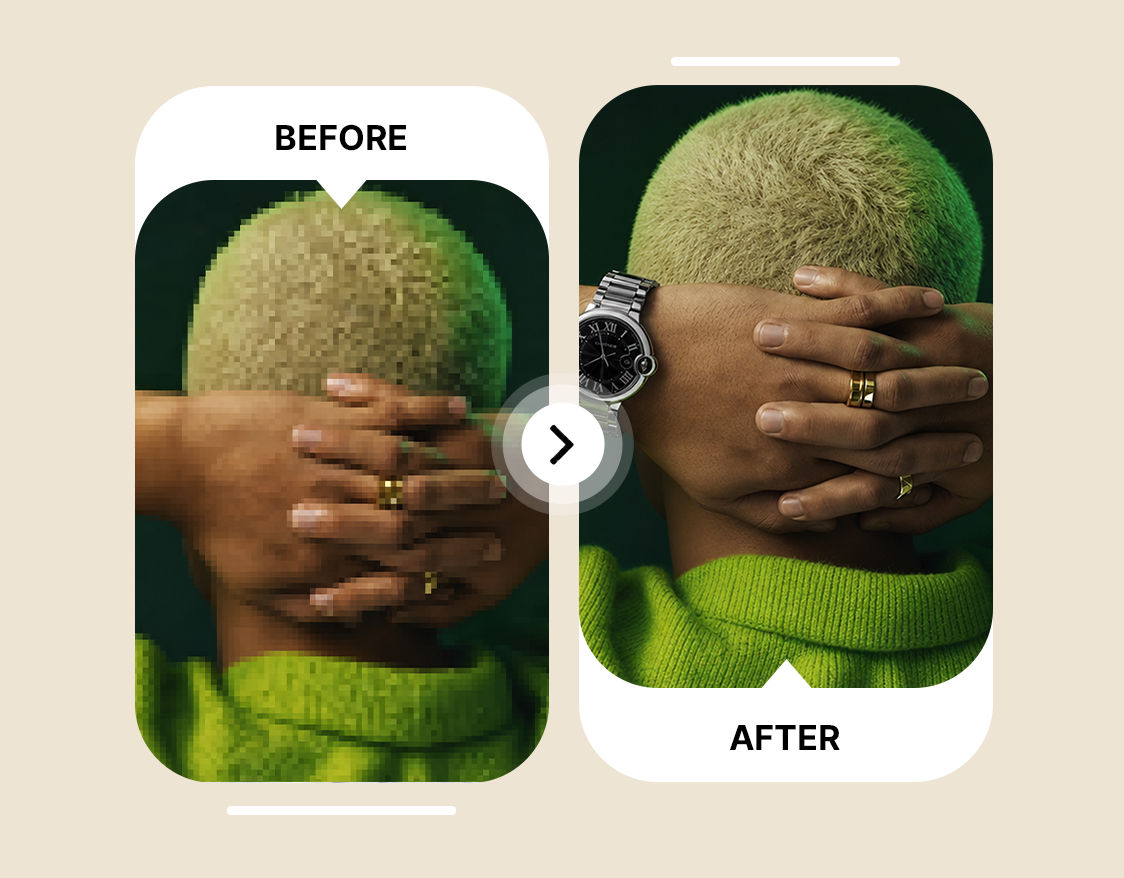
Generates New Detail, Not Just Bigger Pixels
Most upscalers simply enlarge images. Magnific uses a diffusion-based AI model to generate realistic new details during upscaling. It can enhance fabric texture, skin pores, foliage, hair strands, and architectural surfaces based on surrounding image context. The Creativity slider controls how strong the enhancement becomes, while Fractality adjusts fine detail density. The result looks naturally high-resolution instead of artificially stretched.
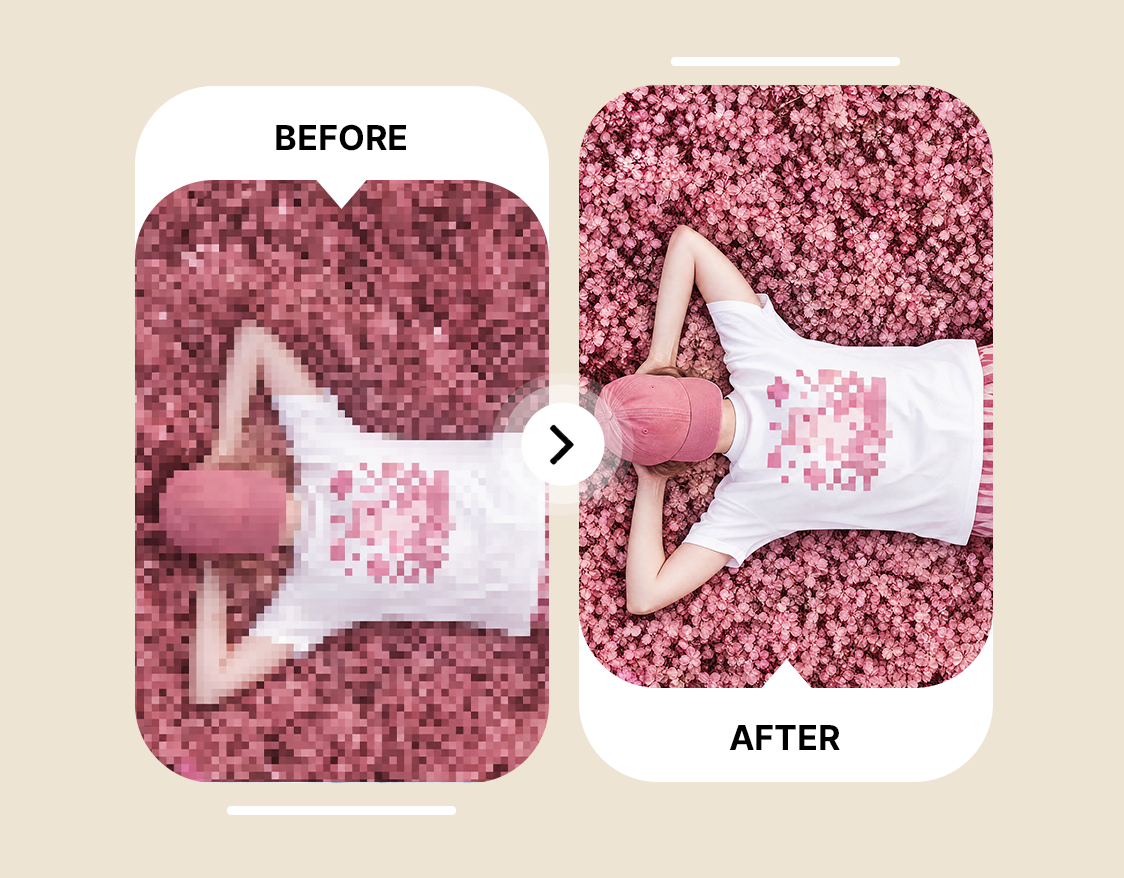
Built for Upscaling AI-Generated Images
AI tools like Midjourney, Stable Diffusion, DALL-E, and ImagineArt often generate images at limited resolutions. Magnific enhances these images with detail that matches the original style while avoiding common AI upscaling artifacts. With Creative mode enabled, even a small 512px AI portrait can become a sharp 4K-quality image suitable for print and commercial use.
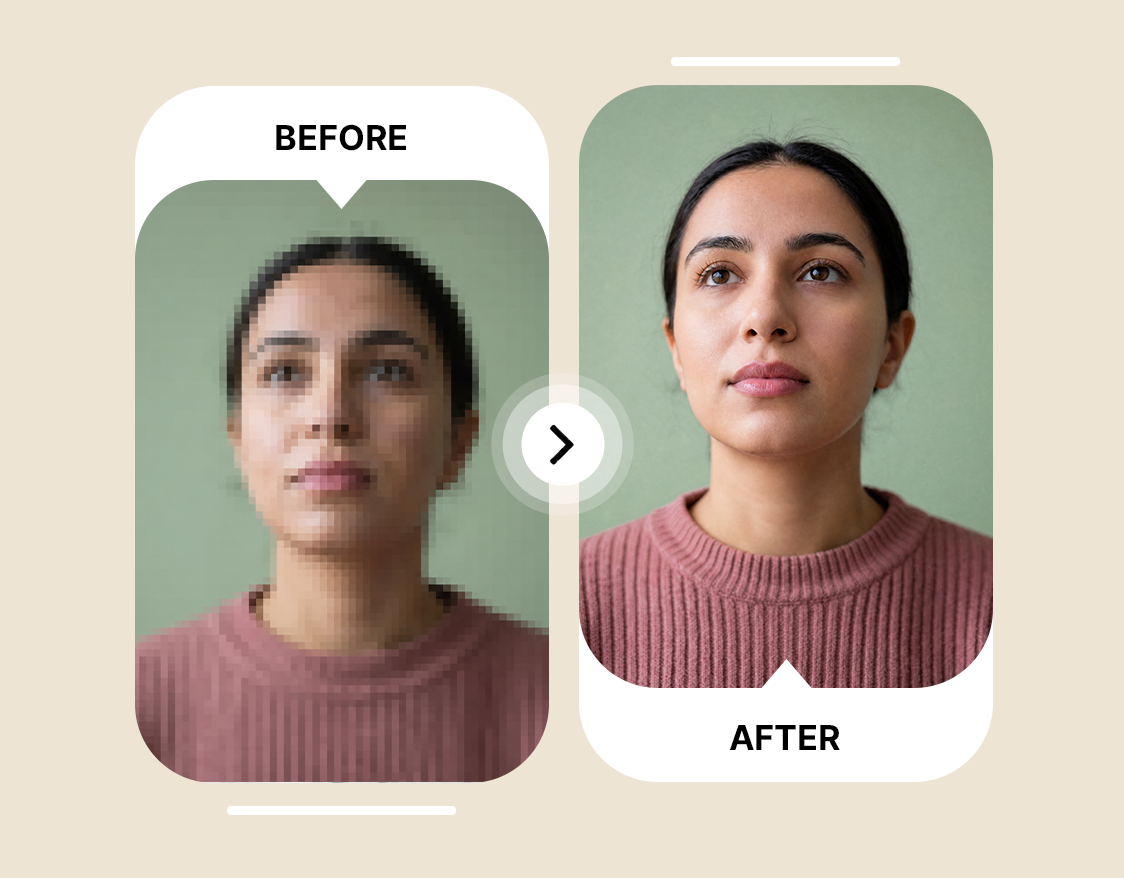
Precision Mode for Accurate Photo Upscaling
Precision mode keeps the upscale close to the original image while improving resolution and clarity. It preserves facial features, skin texture, architectural lines, and product details without over-processing. Photographers, e-commerce brands, and real estate teams use it to upscale images for professional and large-format use, with support for up to 16x enlargement.








Trusted by Professionals and Creators from top Brands and Companies
Hear From ImagineArt Users
I just tried ImagineArt AI Image Upscaler on some old blurry photos, and wow, they actually look clear now. It’s crazy how fast it works, and I didn’t have to do anything complicated.

Anya Petrova

For my small business, ImagineArt AI Image Upscaler is a lifesaver. My product pics used to look grainy online, but now they look sharp and professional in seconds.

Ben Harris

As someone who loves creating digital art for fun, ImagineArt AI Image Upscaler makes my work pop. Even tiny details I missed before are now super clear.

Isabelle Kim

I used ImagineArt AI Image Upscaler for a client project, and it totally saved me time. The images came out sharp, high-res, and presentation-ready without extra editing.

Michael Chenn

Answering Questions About Magnific Image Upscaler
Magnific is an AI image upscaler that increases resolution up to 16x while adding realistic new details. Unlike traditional upscalers that only stretch pixels, it uses diffusion-based AI to generate textures, surfaces, and fine details during the upscale process.
Precision mode keeps the image close to the original, making it ideal for photos, portraits, and product images. Creative mode adds new AI-generated detail for artwork, illustrations, and stylized visuals. The Creativity slider controls how strong the enhancement becomes.
Magnific supports up to 16x upscaling, with outputs reaching 10K resolution. This makes it suitable for large-format prints, billboards, and commercial-quality production.
Yes. Magnific is widely used for enhancing AI-generated art from tools like Midjourney, Stable Diffusion, and ImagineArt. It adds detail that matches the original style while reducing common upscaling artifacts.
Yes. Magnific was rebranded under Freepik’s larger AI platform in 2026, but the upscaling technology remains available. Users can also access the same technology through ImagineArt.