Your creative window at 50% OFF
AI Teeth Whitening
Brighten your smile instantly with ImagineArt AI Teeth Whitening, which removes discoloration and enhances teeth naturally in photos for a flawless, confident look.
Make Teeth Whiter in 3 Steps
Upload Your Photo
Upload a clear photo showing teeth for accurate AI teeth whitening. Ensure the smile is fully visible for best results.
Generate Whitened Smile
Use AI teeth whitening to remove stains, brighten teeth, and enhance natural whiteness instantly.
Download Your Result
Download the high-resolution photo with a brighter smile, perfect for social media, profile pictures, or personal use.
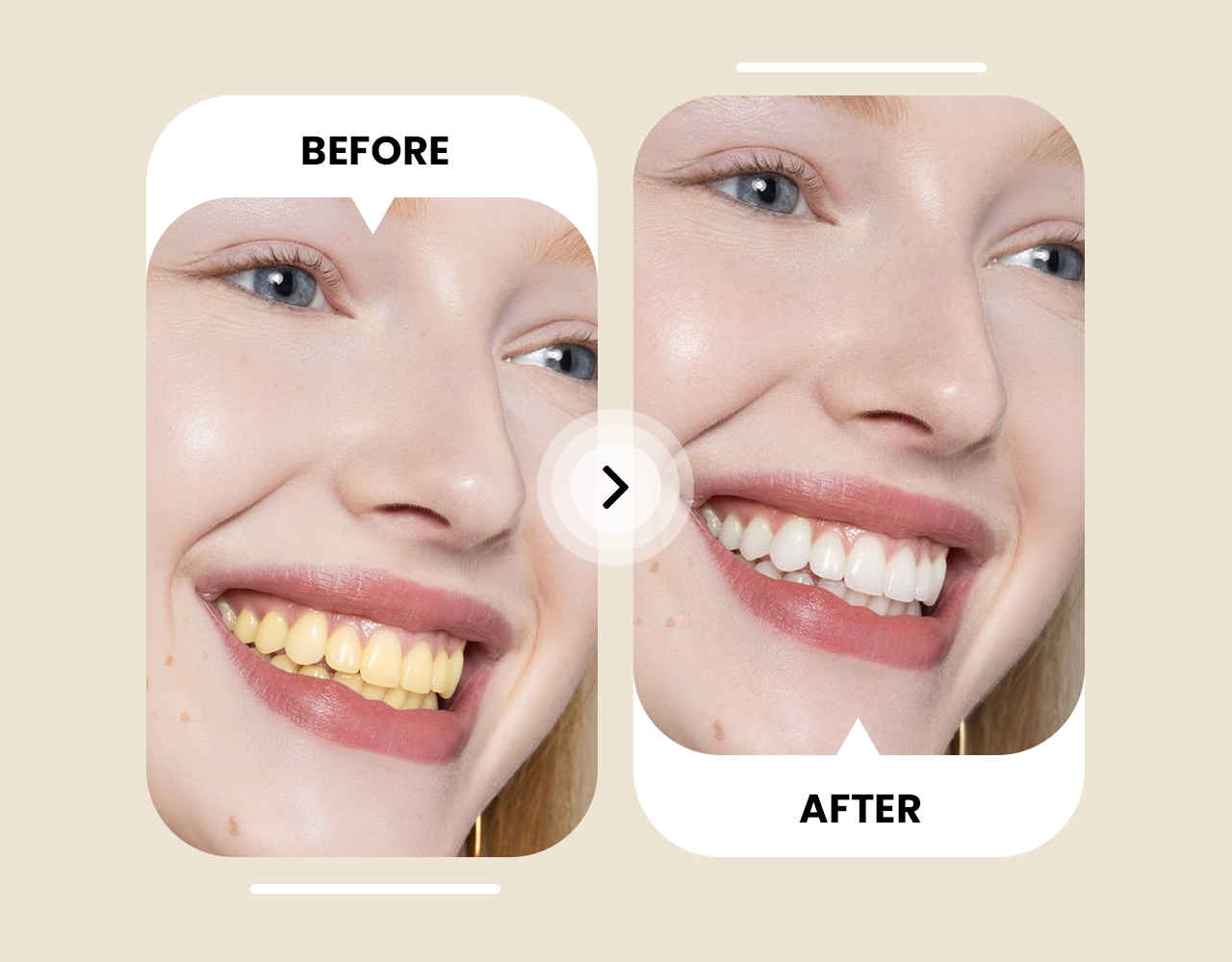
Recover Your Smile with AI Teeth Whitening
Brighten teeth instantly with the AI Teeth Whitening tool. Remove yellowing, coffee stains, and discoloration while keeping enamel texture, gum tone, and lip color untouched. The tool works naturally in any lighting, making selfies, group shots, and old photos camera-ready. Achieve a polished smile without over-whitening or artificial effects. It also enhances subtle details, giving each smile a realistic, vibrant look that stands out in every photo.
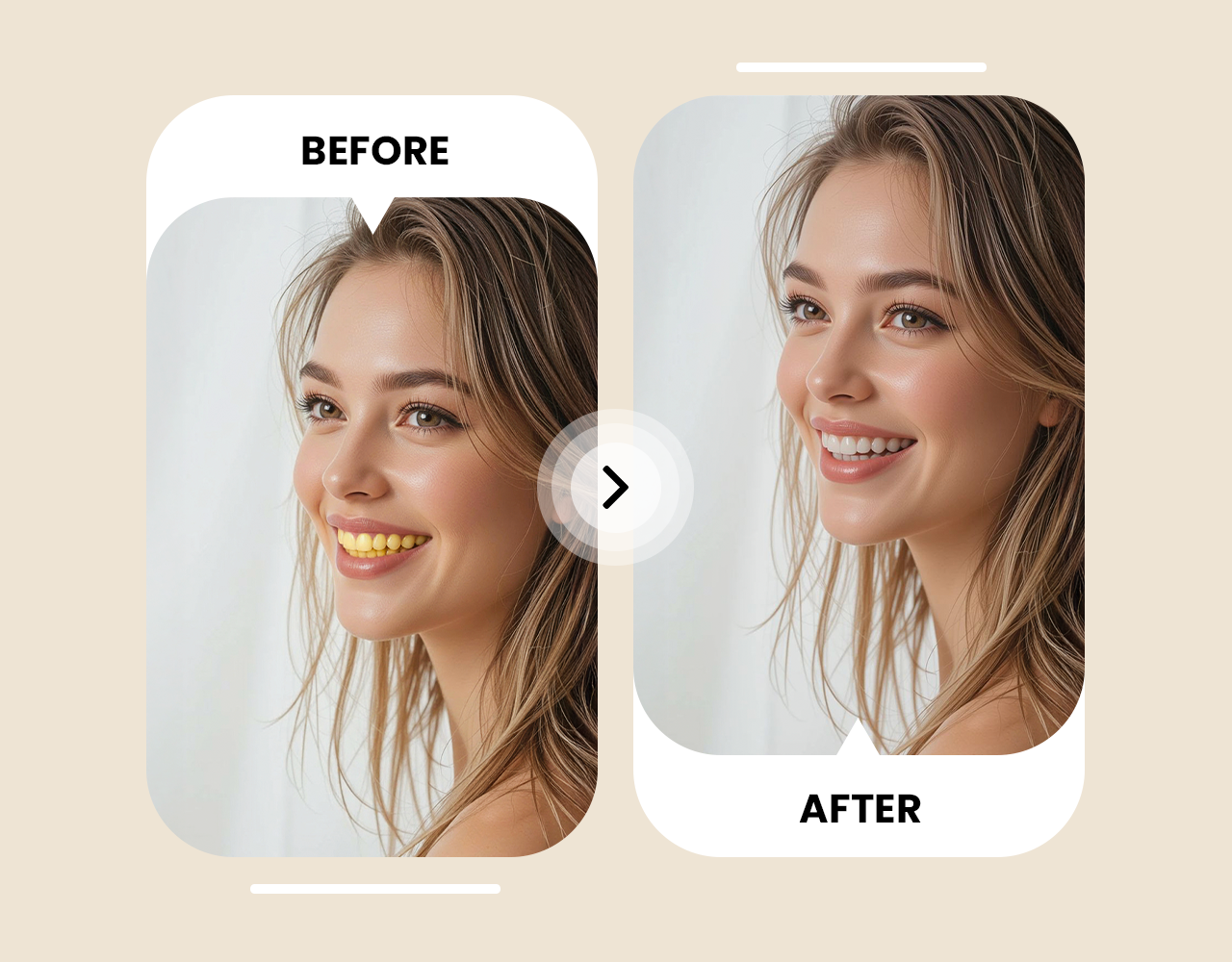
Precision Teeth Whitening for Every Photo
Use Nano Banana Precision Editing to target only the teeth. Skin tone, makeup, and lighting remain consistent, avoiding halos or distortions. The AI adjusts each tooth to match the scene’s natural light. Headshots, social media posts, and family portraits all get realistic, professional-looking results. Every edit is precise, so even complex photos with multiple faces or challenging angles retain natural smiles.
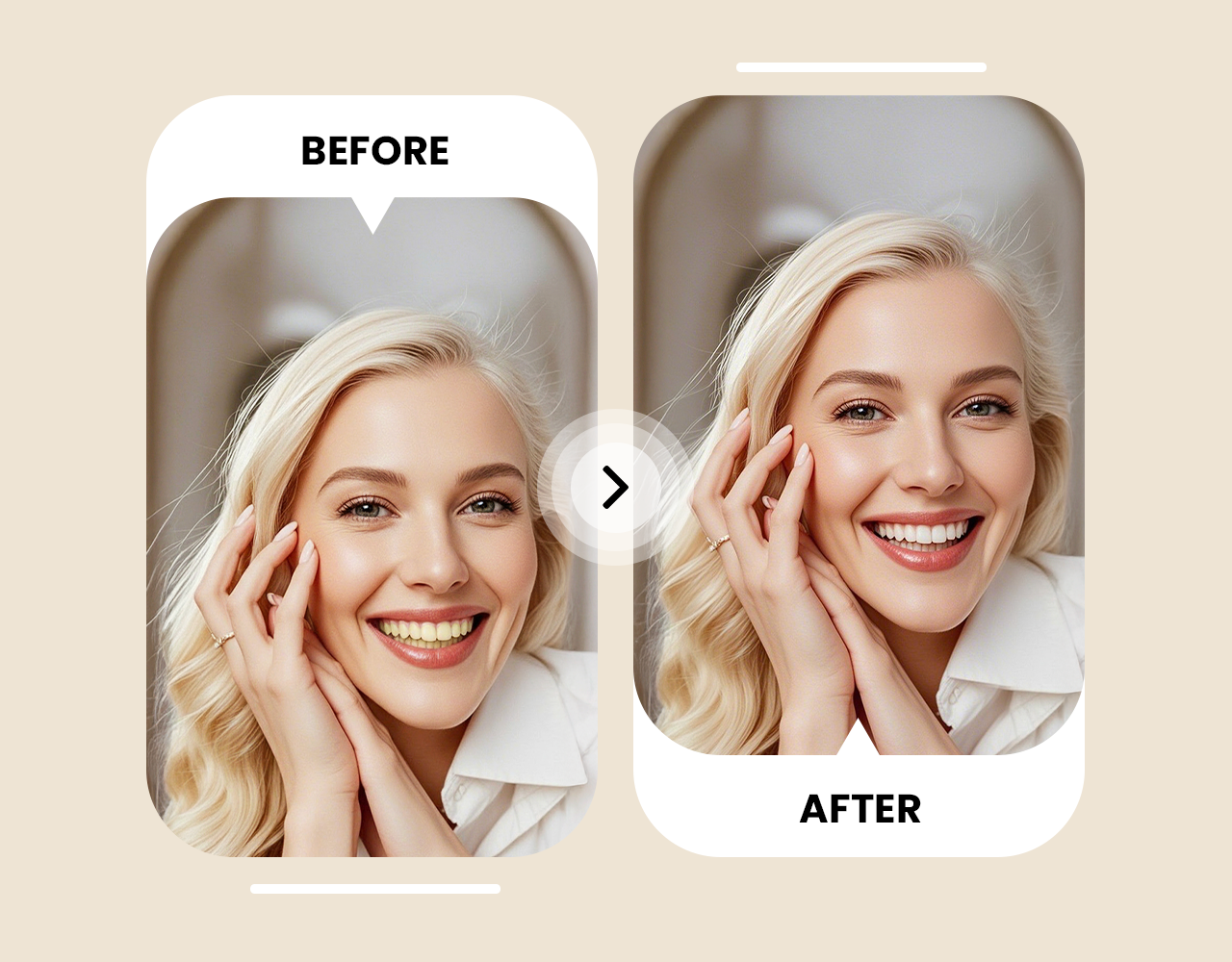
Remove Stains From Teeth and Share Instantly
Erase uneven shadows, yellowing, and stains while tone-matching teeth to the photo’s lighting. Upload, generate, and download high-resolution results instantly. Fast, online, and watermark-free, the tool is perfect for social media, portfolios, influencer content, and batch event edits. Every smile appears radiant, balanced, and ready to share. Users can also adjust the whitening intensity subtly to suit different lighting conditions and photo styles.








Trusted by Professionals and Creators from top Brands and Companies
Testimonials
"AI Teeth Whitening made my selfies look instantly brighter and more polished. My smile looks natural even in photos taken in different lighting, and my Instagram posts have never looked better."

Anya Petrova

"I used AI Teeth Whitening on my professional headshots, and it gave a clean, realistic look without over-editing. The tool preserved skin tone and lighting, making my LinkedIn photos consistent and professional."

Ben Harris

"As a hobby photographer, I often edit portraits and event shots. AI Teeth Whitening helped fix yellowing and uneven smiles while keeping the photos natural. It’s fast, easy, and saves a ton of editing time."

Isabelle Kim

"For my YouTube thumbnails and Instagram campaigns, AI Teeth Whitening was perfect. It removed stains and adjusted lighting so every smile stood out, making my content look polished without looking fake."

Michael Chenn

Got Questions? We Have the Answers
The miniapp brightens teeth by adjusting color, tone, and texture while keeping gums and lips untouched. Smiles look polished, realistic, and natural in any photo. It works with any lighting, making both selfies and professional shots look camera-ready.
This miniapp whitens teeth instantly online. It works fast, preserves natural lighting, and delivers professional-looking results without extra editing. Users can enhance photos for social media, portfolios, or personal keepsakes in seconds.
Yes, it removes yellowing and stains while maintaining a natural smile. Photos look clean and ready for social media, portfolios, or personal use. The AI also matches teeth tone to the surrounding lighting for realistic results.
Shadows, camera quality, or photo tone can make teeth appear dull. The miniapp adjusts brightness and tone for a consistent, natural smile. It also works with low-light or unevenly lit photos.
Use the miniapp to enhance smiles instantly. It fixes discoloration and keeps natural lighting, no Photoshop or complex software needed. The process takes just a few clicks, making editing effortless for everyone.
The miniapp is a free, online solution to brighten smiles. It works in seconds and produces natural, realistic results for selfies, portraits, and professional photos. Users can try it directly in a browser without downloads.
Yes, it works with photos from iPhone, Android, or any camera. Smiles are enhanced while preserving facial details and lighting. The miniapp also handles high-resolution images with natural-looking results.
Upload a photo and the miniapp erases stains and yellowing while keeping brightness natural for a polished smile. It also adjusts the shading so teeth blend seamlessly with the rest of the face.
Yes, it brightens teeth even in low-light or shadowed images. Smiles blend naturally with the photo’s lighting. The AI automatically balances brightness and contrast for realistic results.
The miniapp edits only the teeth while keeping lips, gums, and skin tone untouched. The result is subtle, polished, and realistic. It avoids over-whitening and preserves the photo’s natural textures.
It automatically tone-matches teeth to the photo’s lighting. Teeth appear evenly bright without altering shadows or highlights. Users get professional-looking results without manual adjustments.
Yes, it works on multiple faces in one photo. Each smile is enhanced while keeping natural lighting and consistent results for everyone. The AI ensures no face looks over-edited or unnatural.
It only adjusts what is needed. Naturally bright teeth remain unchanged while dull areas are subtly enhanced. This keeps the smile balanced and avoids an artificial look.
The miniapp brightens teeth independently of lips, gums, and skin. Smiles appear whiter while the rest of the photo stays natural. It works with all skin tones and lighting conditions.
Yes, subtle adjustments focus on brightness and texture. Smiles remain authentic, natural, and ready to share. Each photo retains its original expression and facial details for realism.