Your creative window at 50% OFF
Topaz AI Image Upscaler
Access Topaz Gigapixel's high-fidelity upscaling models on ImagineArt. Upscale photos, portraits, and AI-generated images to print quality, no Topaz subscription needed.
How to Use Topaz AI Image Upscaler
Upload Your Images
Upload the image you want to upscale directly within ImagineArt. Accepted formats include JPG, JPEG, PNG, WebP, GIF, and AVIF. Upload from your device or select an existing image from your ImagineArt generation history
Click Generate
One click is all it takes. Topaz's AI model process your image in the cloud, automatically analyzing the content and applying the most appropriate enhancement for your image type, whether that is a portrait, a landscape, a compressed photo.
Download Your Images
Your upscaled image is ready in seconds. Preview the result and download in full quality, sharper and higher resolution than your original. The output is yours to use immediately for print, client delivery, social media, or continued use inside your ImagineArt workflow.
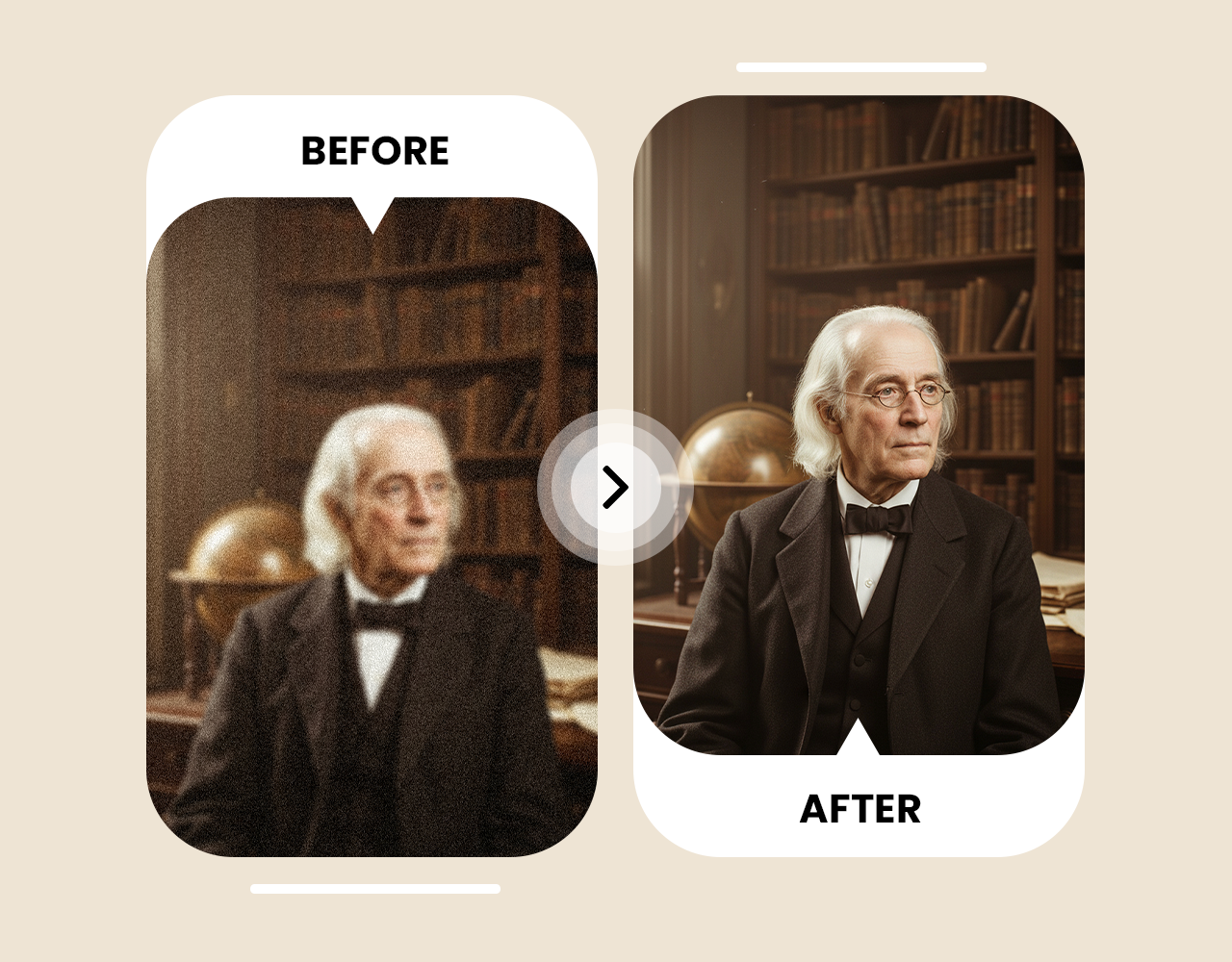
Built for a Different Image Type
Most upscalers run one model on everything. Topaz Gigapixel uses nine specialized models including Standard, High Fidelity, Low Res, Text and Shapes, Art and CG, Recover, Redefine, and Face Recovery, each trained on a specific content type. The May 2026 Expansion Update added Wonder 2 and Wonder 3, Topaz's biggest model quality leap since 2018. A compressed photo, an old scan, and an AI illustration all fail differently, and Topaz matches the right model to the right problem automatically.
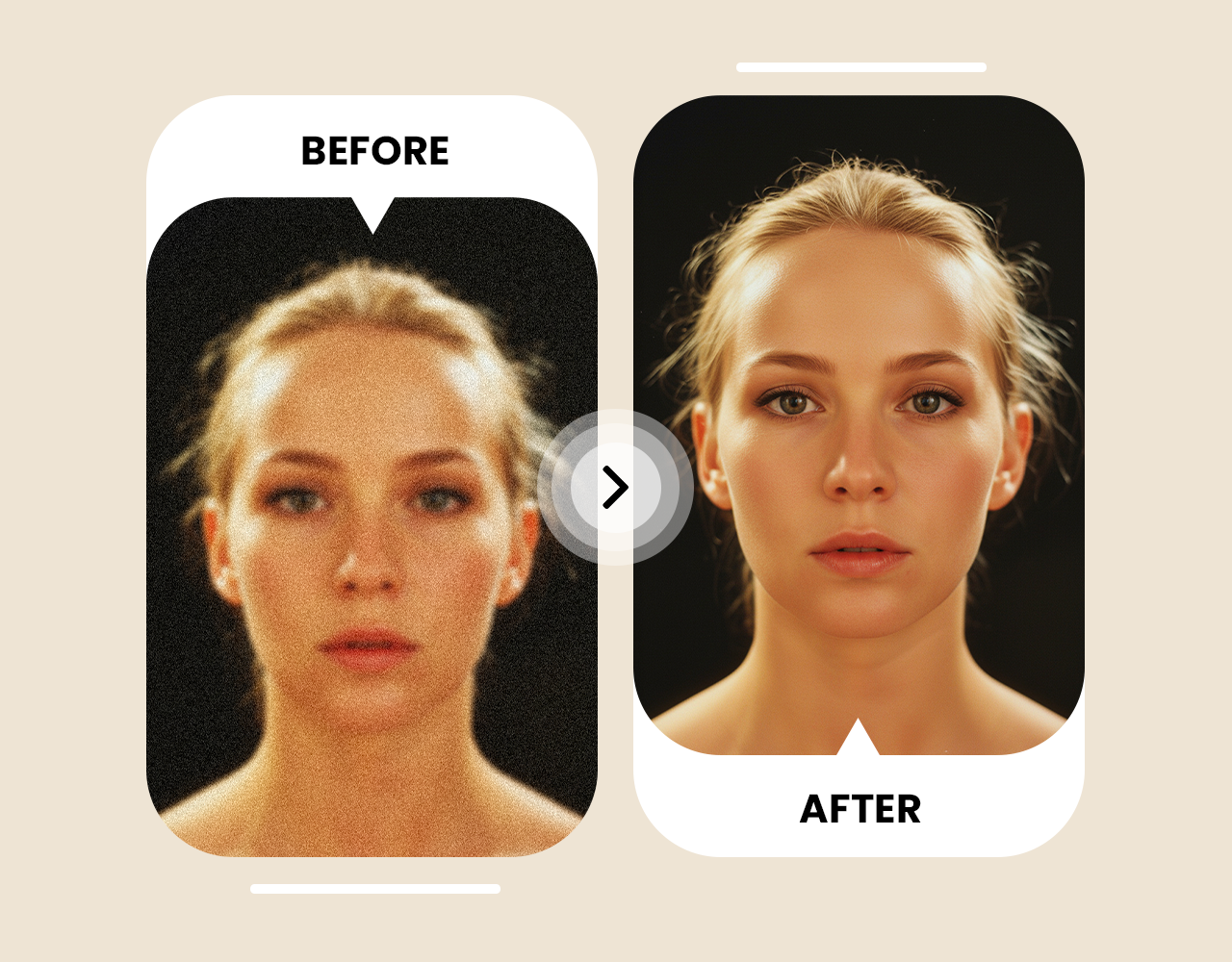
Face Recovery That Preserves Identity
Generic upscalers apply uniform sharpening to faces, often smoothing distinctive features or introducing artifacts around eyes and mouth. Topaz's Face Recovery model reconstructs facial features, skin texture, and fine detail while keeping the subject recognizable. For wedding photographers rescuing a soft shot, headshot photographers printing large, or portrait artists upscaling AI-generated characters, this is the model that separates a usable output from one that needs retouching.
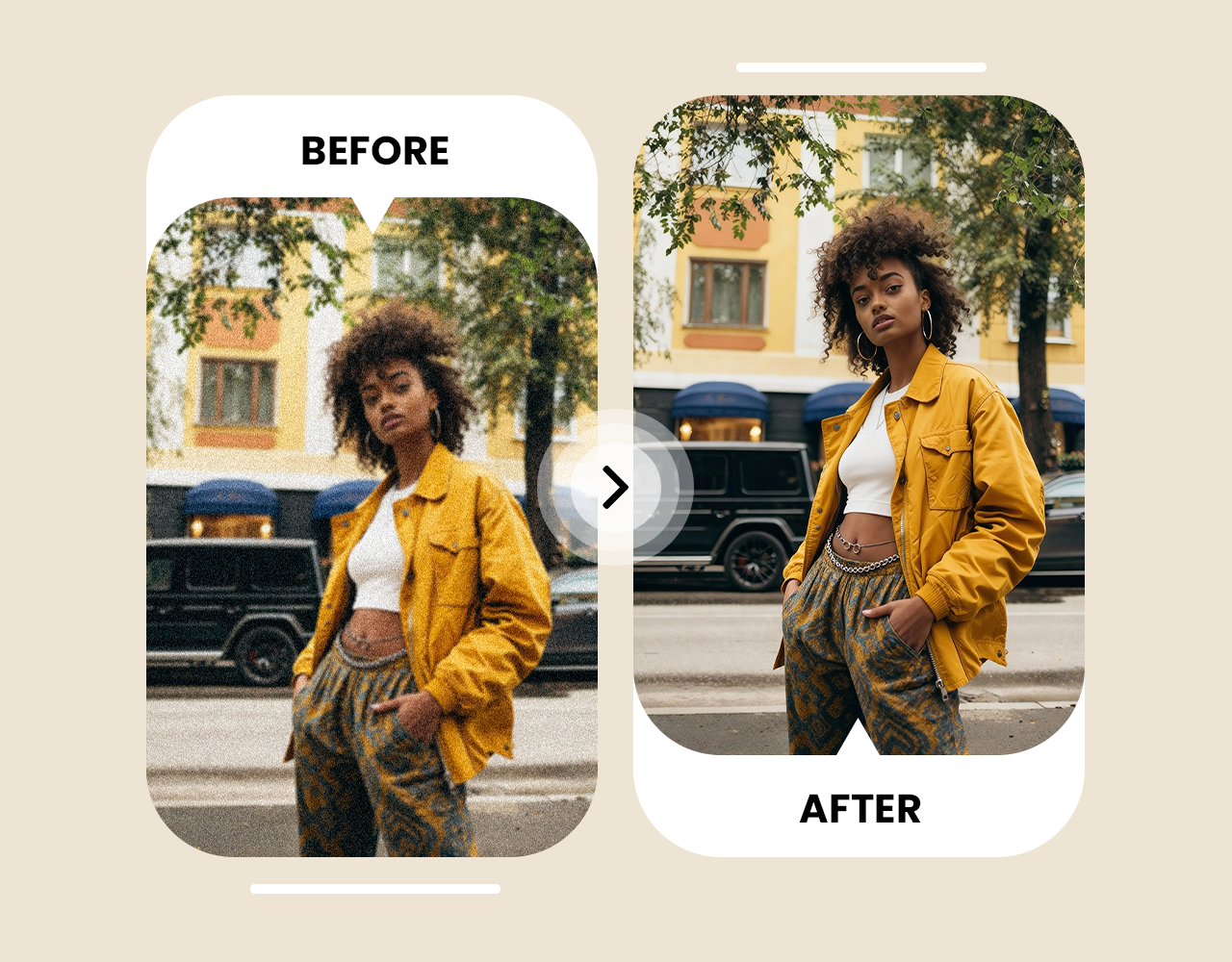
Accurate Upscaling for AI-Generated Images
AI-generated images from Midjourney, Nano Banana, or Seedream are resolution-limited, and photo-trained upscalers introduce artifacts when applied to synthetic content. Topaz's Art and CG model is built specifically for computer-generated imagery, reconstructing detail that matches the original's visual language without smearing edges or distorting gradients. For creators taking AI-generated work to print or commercial resolution, this is the technically correct path.








Trusted by Professionals and Creators from top Brands and Companies
Hear From ImagineArt Users
I just tried ImagineArt AI Image Upscaler on some old blurry photos, and wow, they actually look clear now. It’s crazy how fast it works, and I didn’t have to do anything complicated.

Anya Petrova

For my small business, ImagineArt AI Image Upscaler is a lifesaver. My product pics used to look grainy online, but now they look sharp and professional in seconds.

Ben Harris

As someone who loves creating digital art for fun, ImagineArt AI Image Upscaler makes my work pop. Even tiny details I missed before are now super clear.

Isabelle Kim

I used ImagineArt AI Image Upscaler for a client project, and it totally saved me time. The images came out sharp, high-res, and presentation-ready without extra editing.

Michael Chenn

Answering Questions About AI Image Upscaler
You can use Topaz AI Image Upscaler to convert low-resolution images into 4K. Simply upload your photo, select 4K, and the AI enhances details and sharpness instantly for print or social media. The resulting image is ready to download or share immediately.
ImagineArt AI Image Upscaler works directly in your browser. Upload any image, choose the resolution, and the AI enhances it automatically without downloads or installation. You can process multiple images at once for efficiency.
Yes, Topaz AI Image Upscaler supports JPG and PNG formats. It enlarges images while preserving proportions, colors, and textures so nothing looks stretched or pixelated. The enhanced images maintain their natural look at any size.
Topaz Gigapixel supports upscaling up to 16x the original image dimensions, producing outputs suitable for large-format print, billboard production, and high-density display use. The exact output resolution depends on your source image size — a 1000px image upscaled 16x produces a 16,000px output.
ImagineArt AI Image Upscaler detects blurry areas and restores fine details. Your photos become crisp and clear without losing natural textures or colors. It works for both photos and digital graphics.
No, ImagineArt AI Image Upscaler preserves the original look of your photo while enhancing resolution and sharpening details, so results stay realistic and natural. The AI ensures every image keeps its authentic color and texture.
Upload Instagram photos to ImagineArt AI Image Upscaler. The AI improves resolution, sharpness, and color vibrancy, making your posts look professional and ready to share. You can post instantly after enhancement.
Yes, ImagineArt AI Image Upscaler can enhance screenshots. It boosts clarity, improves text readability, and sharpens UI details in seconds. This works for app screenshots, game captures, or web pages.
ImagineArt AI Image Upscaler is a fast, browser-based, free tool. It increases image resolution while preserving details, colors, and textures. There’s no software installation or login required.
Anyone can use ImagineArt AI Image Upscaler to enhance low-resolution images, artwork, product photos, or screenshots. It’s perfect for social media, prints, or personal projects. It’s also useful for students, creators, and designers.
Upload your vacation photos to AI Image Upscaler. It sharpens blurry areas, restores details, and improves resolution so your memories look perfect. Enhanced images can be shared or printed immediately.
Yes, AI Image Upscaler works in mobile browsers, letting you enhance images on your phone while keeping them crisp and detailed. It’s convenient for editing photos on the go.
ImagineArt AI Image Upscaler can restore old or scanned family photos. It recovers details, sharpens edges, and enhances resolution to bring them back to life. The results are suitable for prints, albums, or digital sharing.
Absolutely. ImagineArt AI Image Upscaler enhances resolution and sharpens fine details in digital drawings or illustrations while keeping the original style and colors intact. You can then use the enhanced images for sharing, printing, or portfolio display.